Summary
Corporate travel orchestration, not only search
The application combines travel discovery with traveller identity, company policy, approvals, order operations, group travel, spend reporting, billing, and credit control.
Observation REA was used to authenticate, inspect rendered pages, capture network metadata, exercise hotel and flight searches, and analyze loaded JavaScript. [E0–E10]
- SearchFlight and hotel discovery with traveller, preference, policy, and company context.
- TripsFlight orders, hotel orders, lifecycle states, and trip files.
- Group BookingsEvent-based group travel combining hotel and flight requirements.
- ApprovalsApplicant and reviewer queues driven by configurable processes.
- FinanceSpend analytics, transactions, reports, billing, and credit.
- TeamDepartments, users, roles, and traveller records.
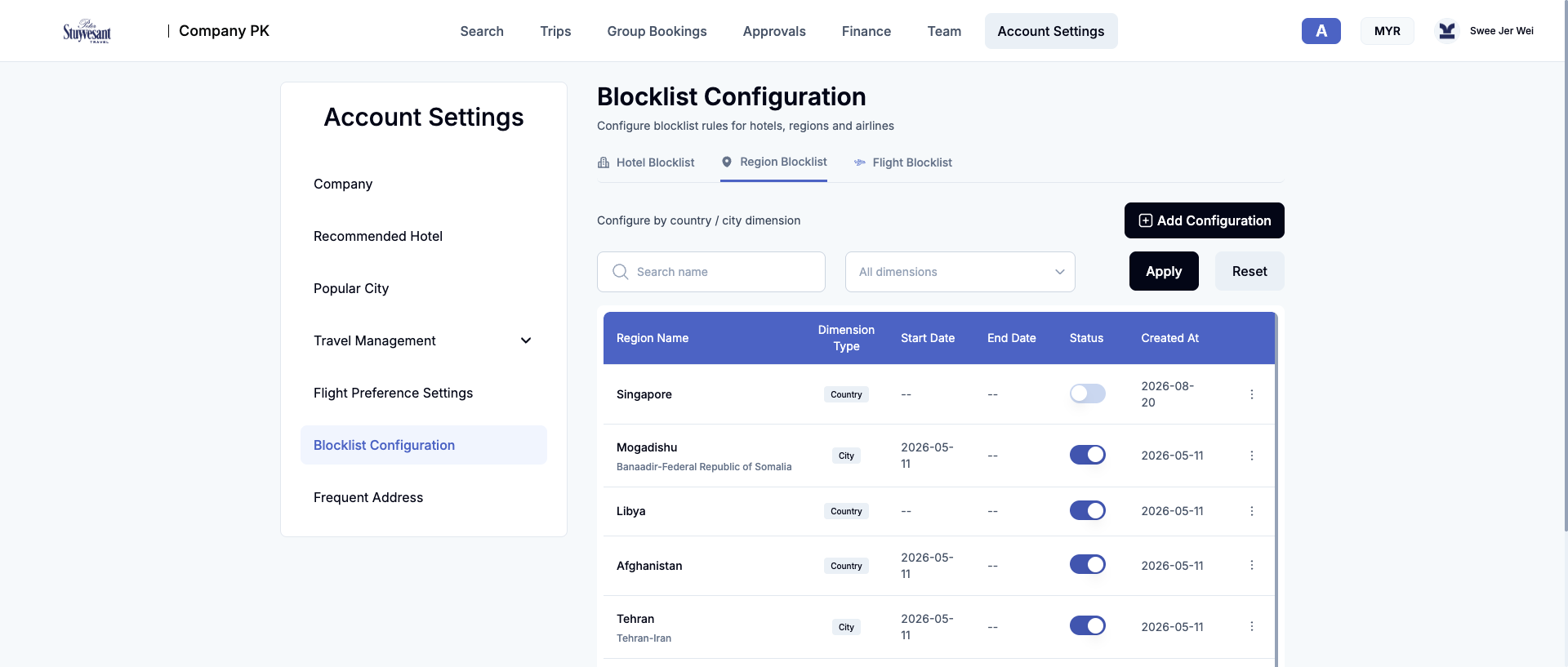
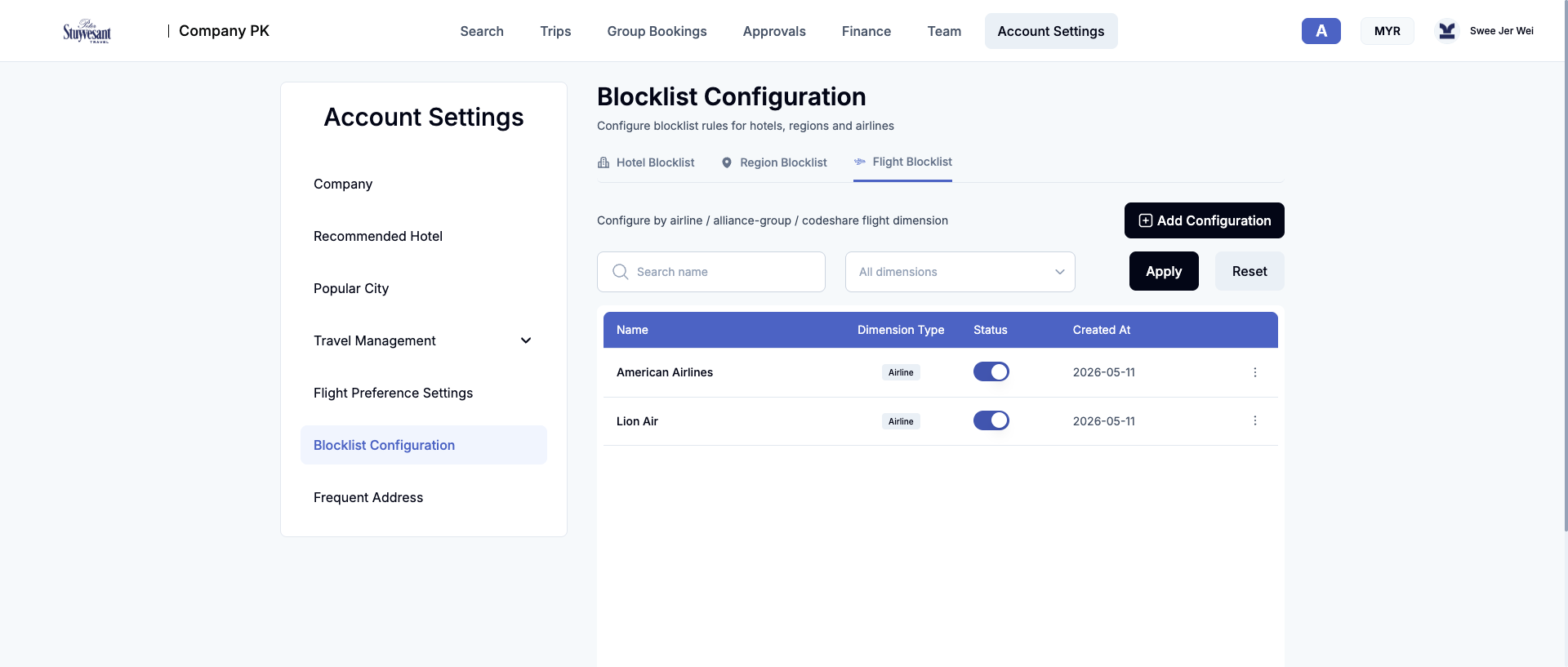
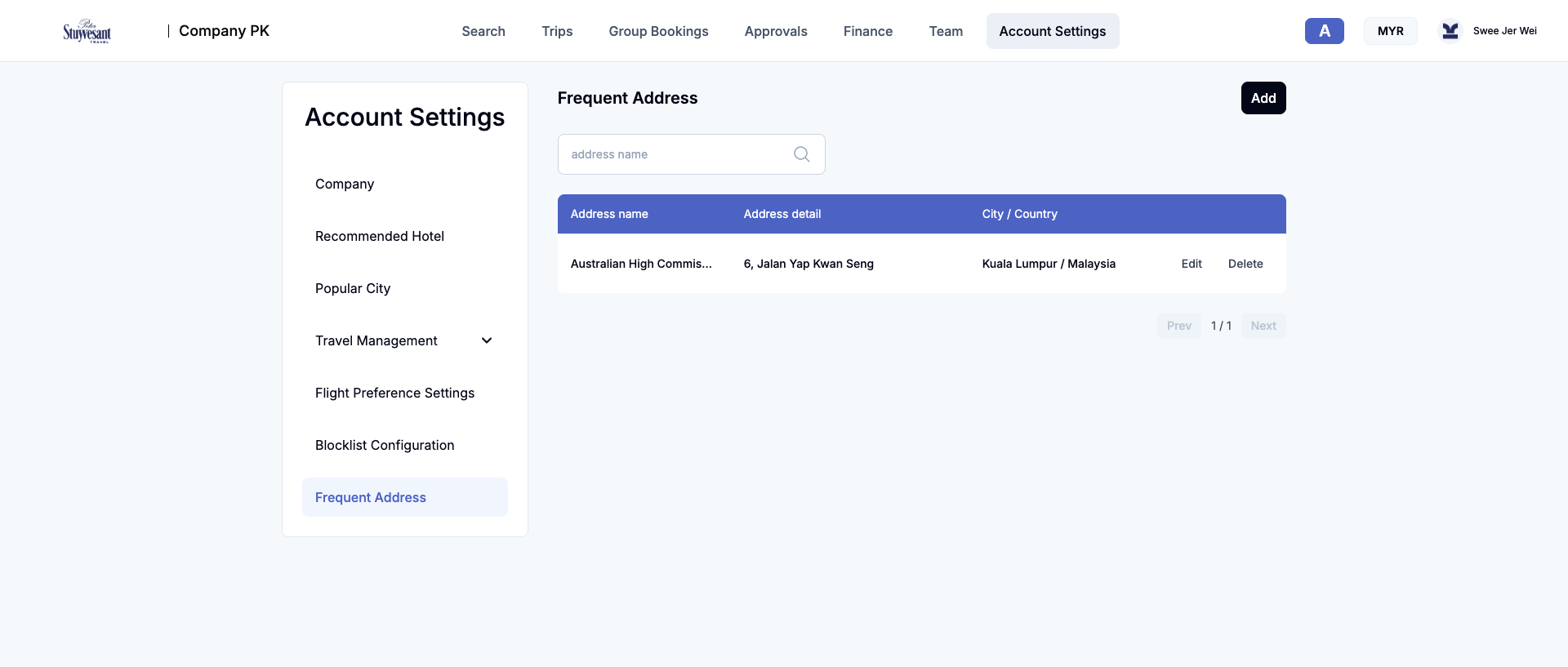
- Account SettingsCompany configuration, policies, approvals, preferences, blocklists, and reference data.
Observation
Access and architecture
The public page provides email/password login, registration, password recovery, language selection, Terms of Use, and referral terms. The authenticated menu is loaded from role and permission services. [E0] [E1]
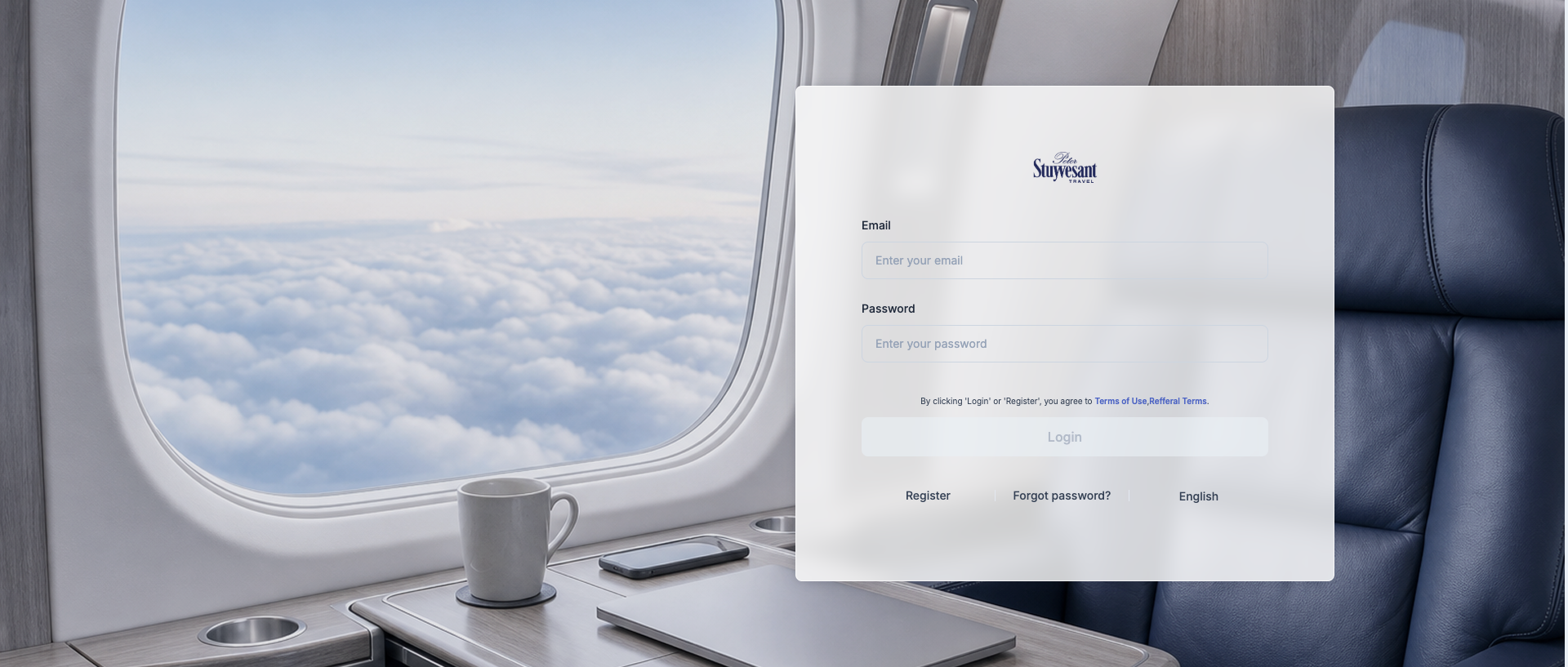
Authentication trace
- Company lookup:
/api-v1/b2b-api/auth/queryCompanyByEmail. - NextAuth providers and CSRF state.
- Credentials callback and session retrieval.
- Dashboard bootstrap: user, currency, billing alerts, menu tree, permissions, policy, loyalty, history, popular cities, and hotel home. [E1]
Application shape
Next.js/React frontend, version markers for v2.9.8. Static coverage: 55 scripts and 524,622 AST nodes with no parse failures; source maps unavailable. API namespaces separate generic company data, flight, hotel, approval, and finance functions. [E2]
Observation
Search
Flight workflow
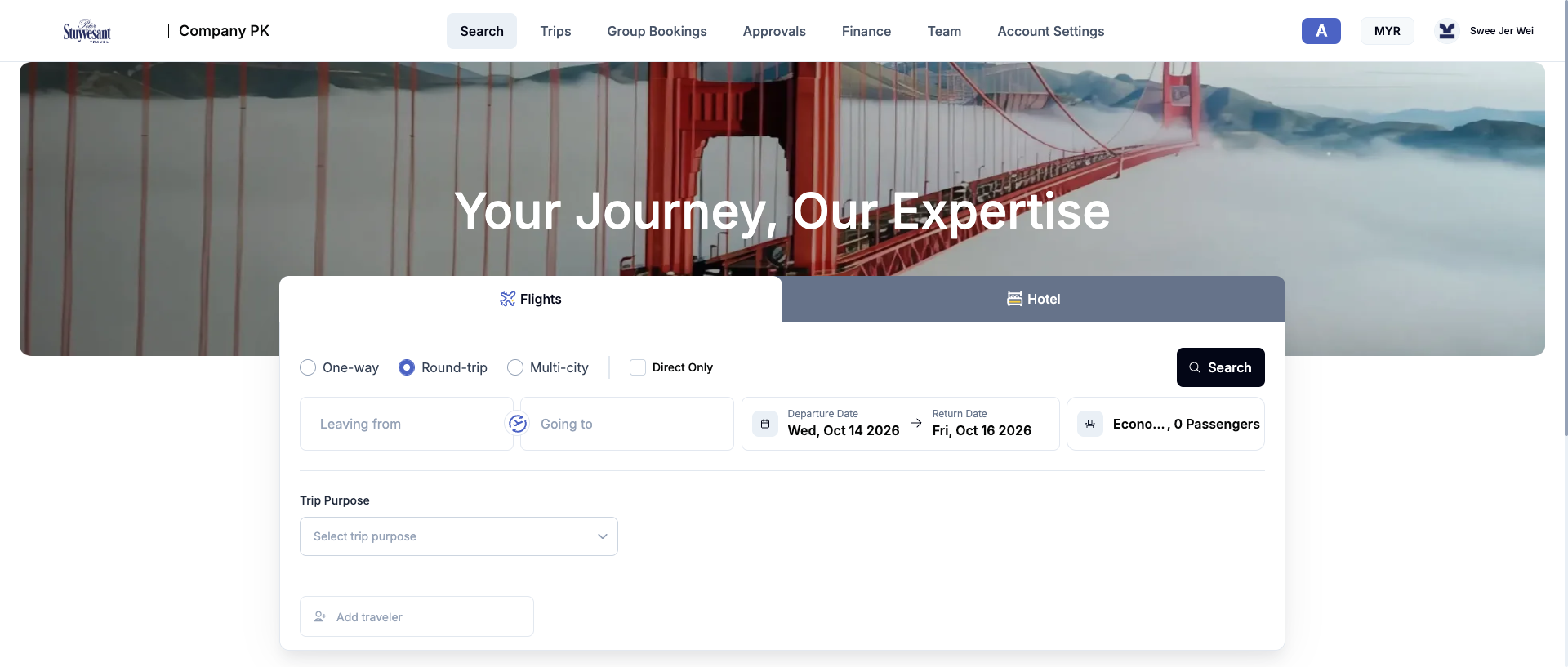
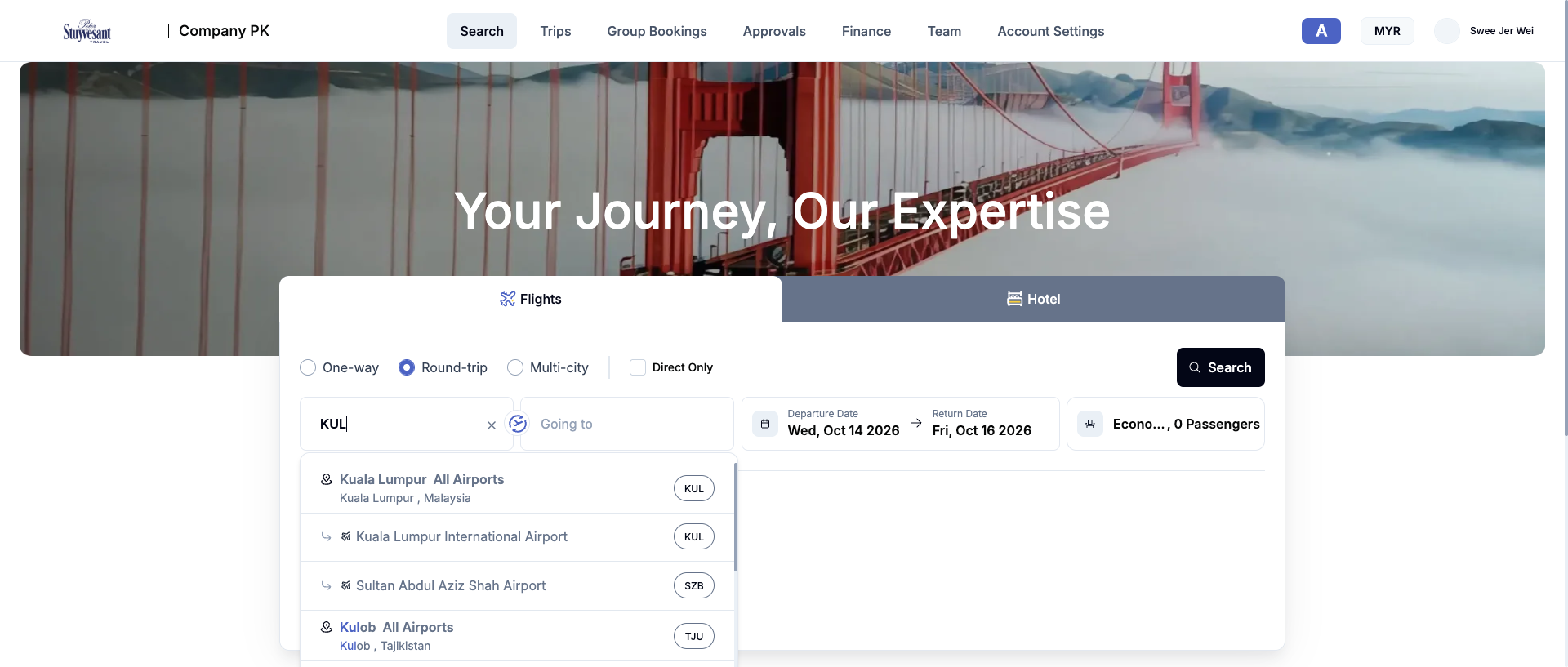
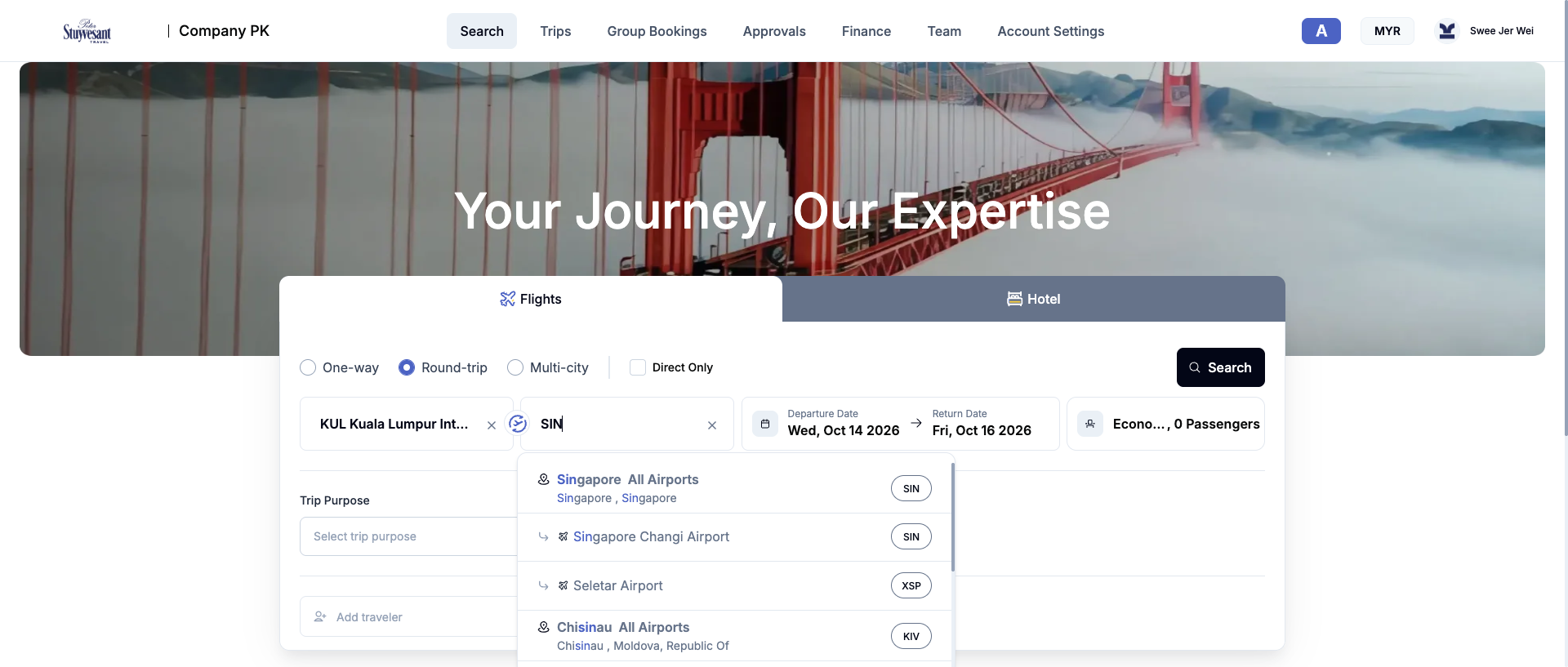
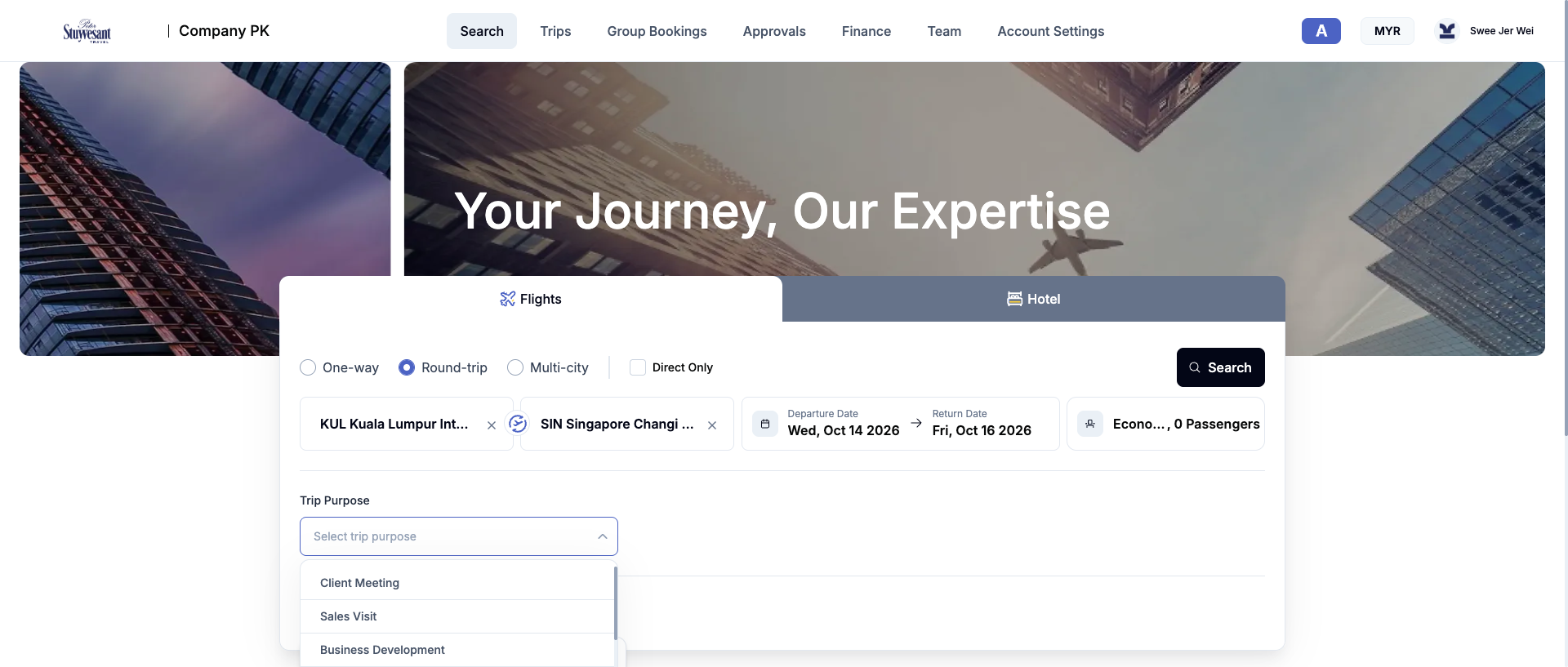
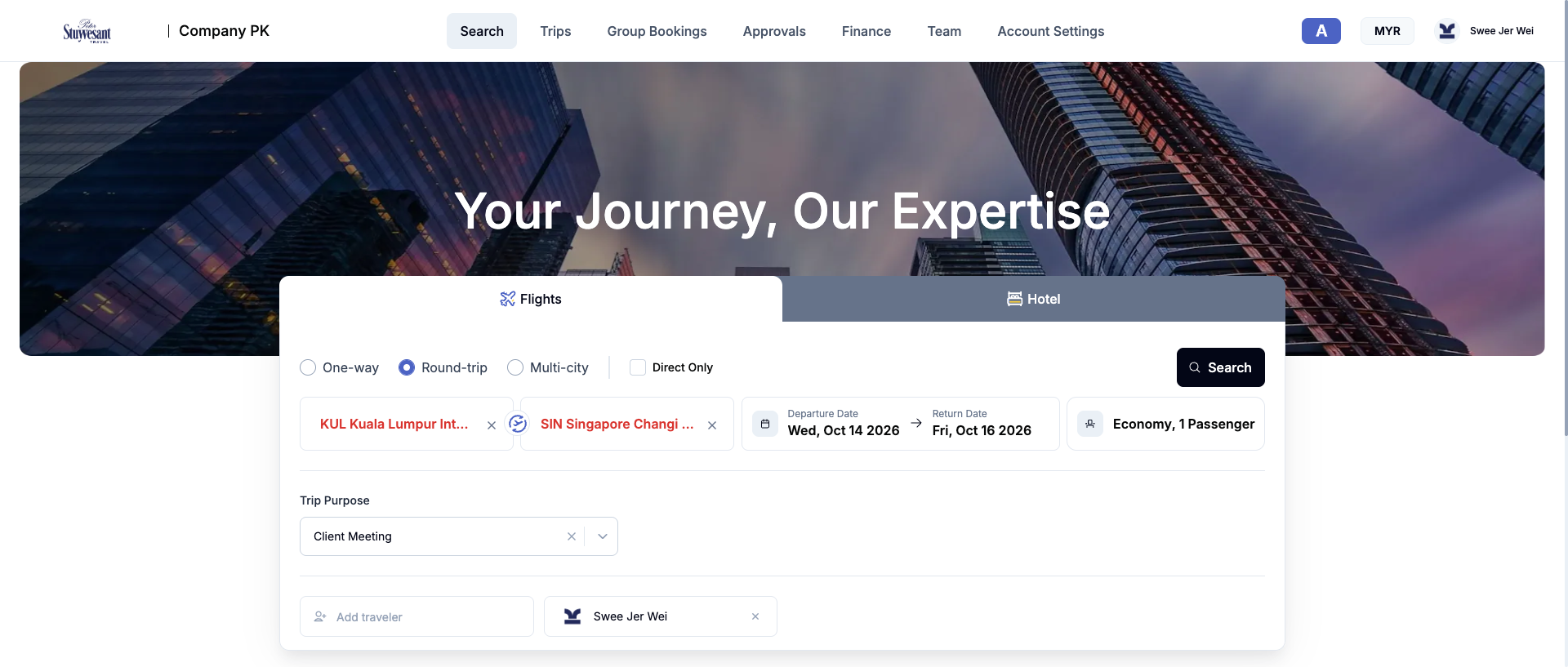
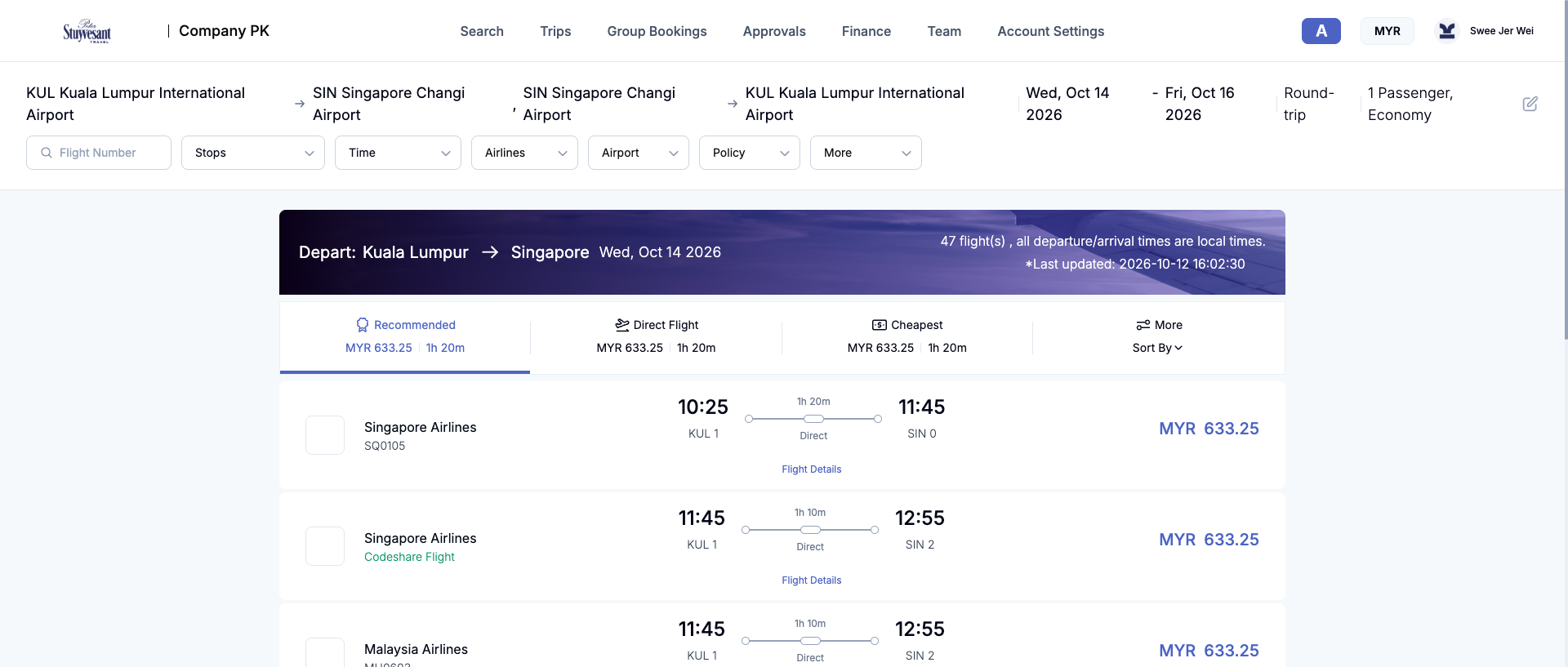
One-way, round-trip, and multi-city journeys; direct-only; airport lookup; dates; cabin; travellers; and trip purpose. Airport search calls /flight/b2b-api/airports/search, traveller lookup calls /b2b-api/userList, and submission calls POST /flight/b2b-api/search. [E10]
Hotel workflow
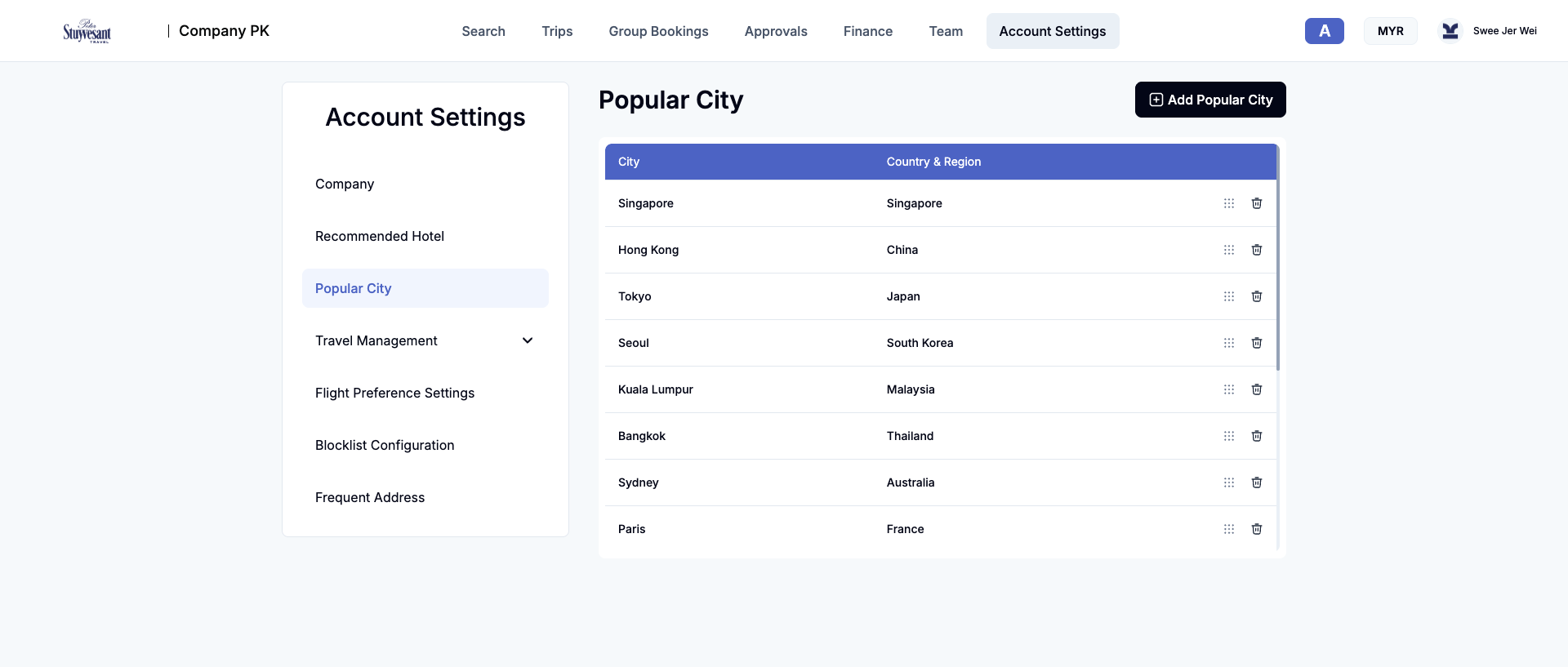
Destination, dates, rooms/adults, Popular Cities, Recommended Hotels, and Favorites. Results combine inventory with company policy data and expose budget, preferred, group/brand, property type, star, facilities, amenities, and frequent-address context. [E9]
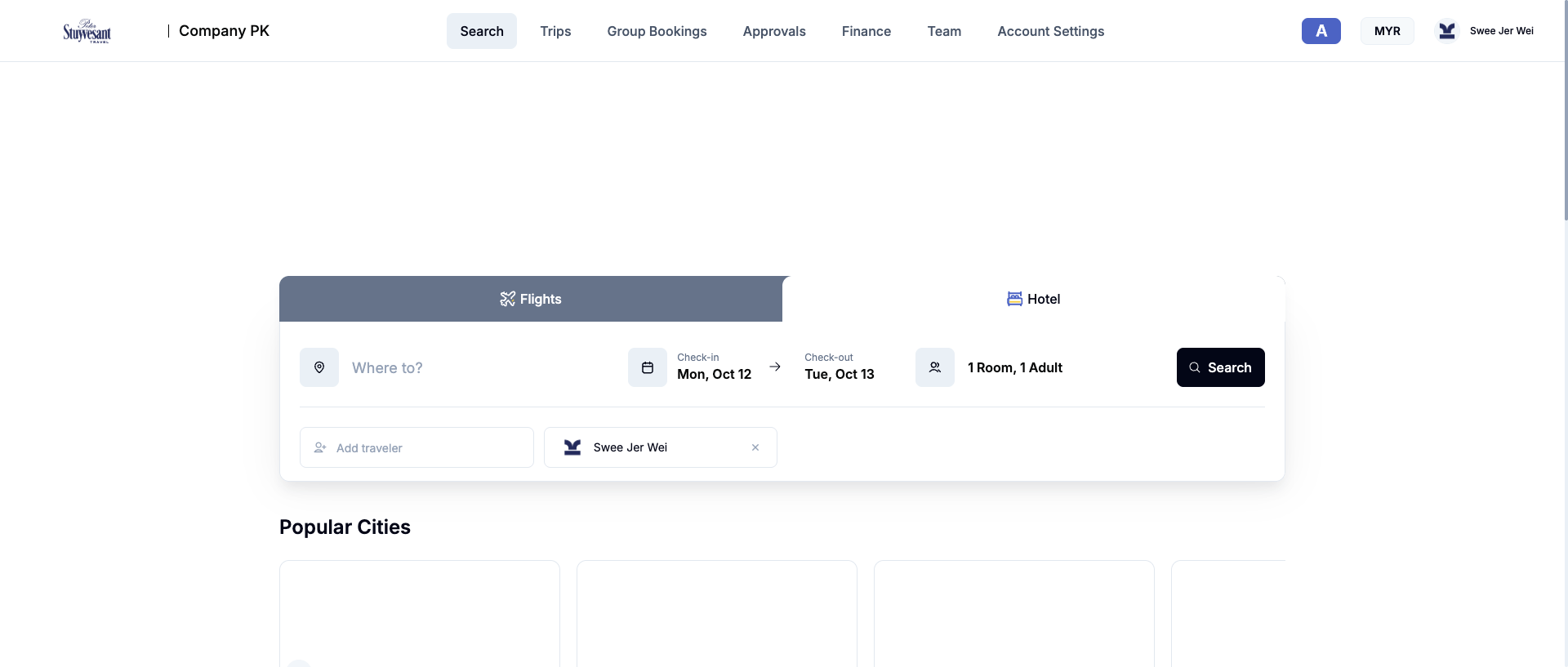

/hotel/b2b-api/search/location2.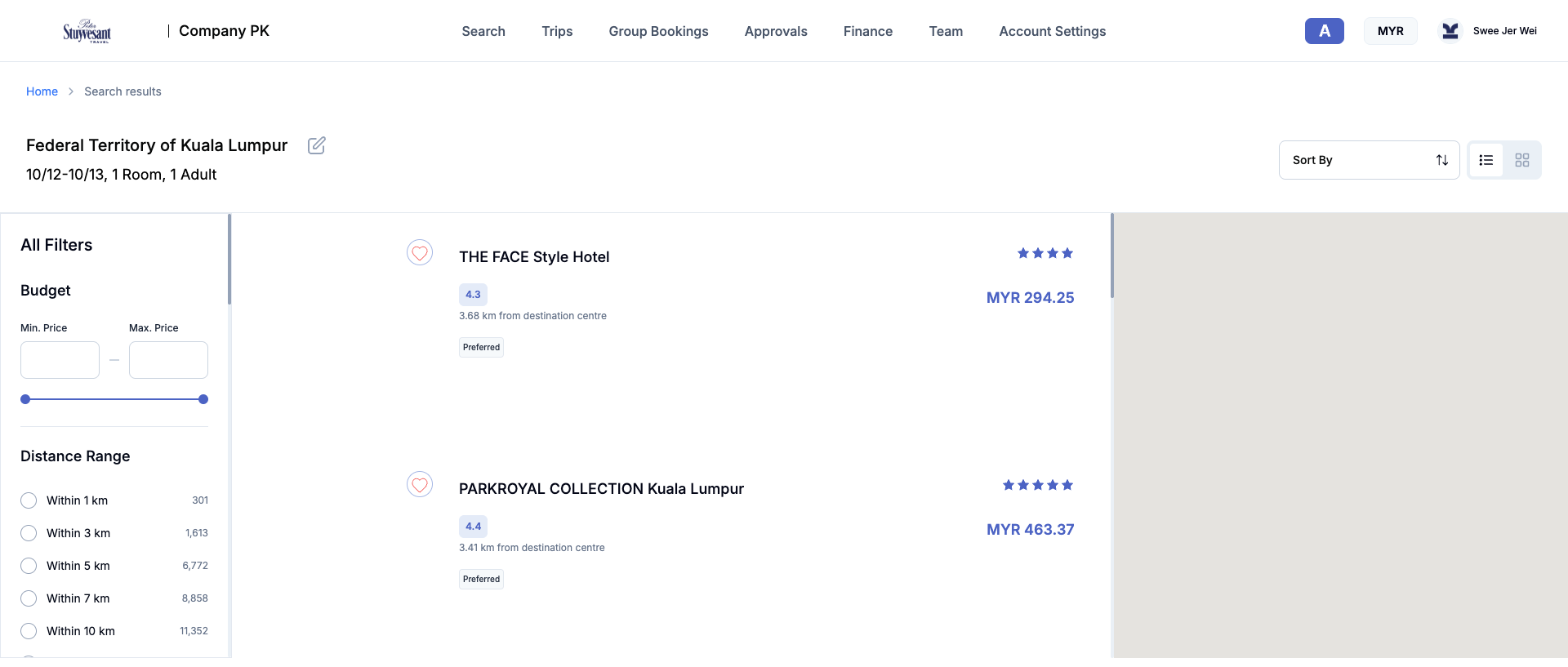
Observation
Trips
The post-booking area separates Hotel, Flights, and My Reservations. Flight status includes Payment Pending, Pending Ticketing, Ticketed, Cancelled, and partial/full refund or change states. Hotel status includes Upcoming, To be Confirmed, Confirmed, Completed, Pending Cancellation, and Cancelled. [E4]
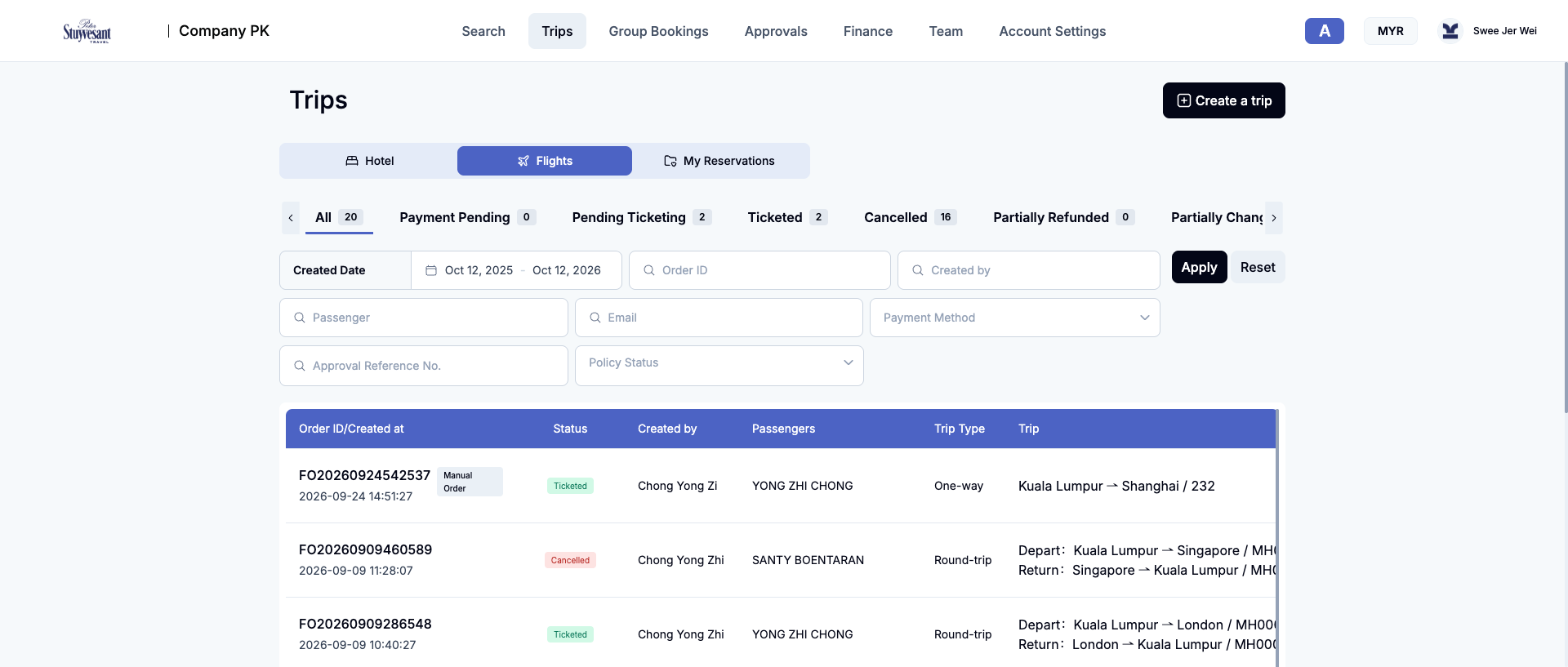
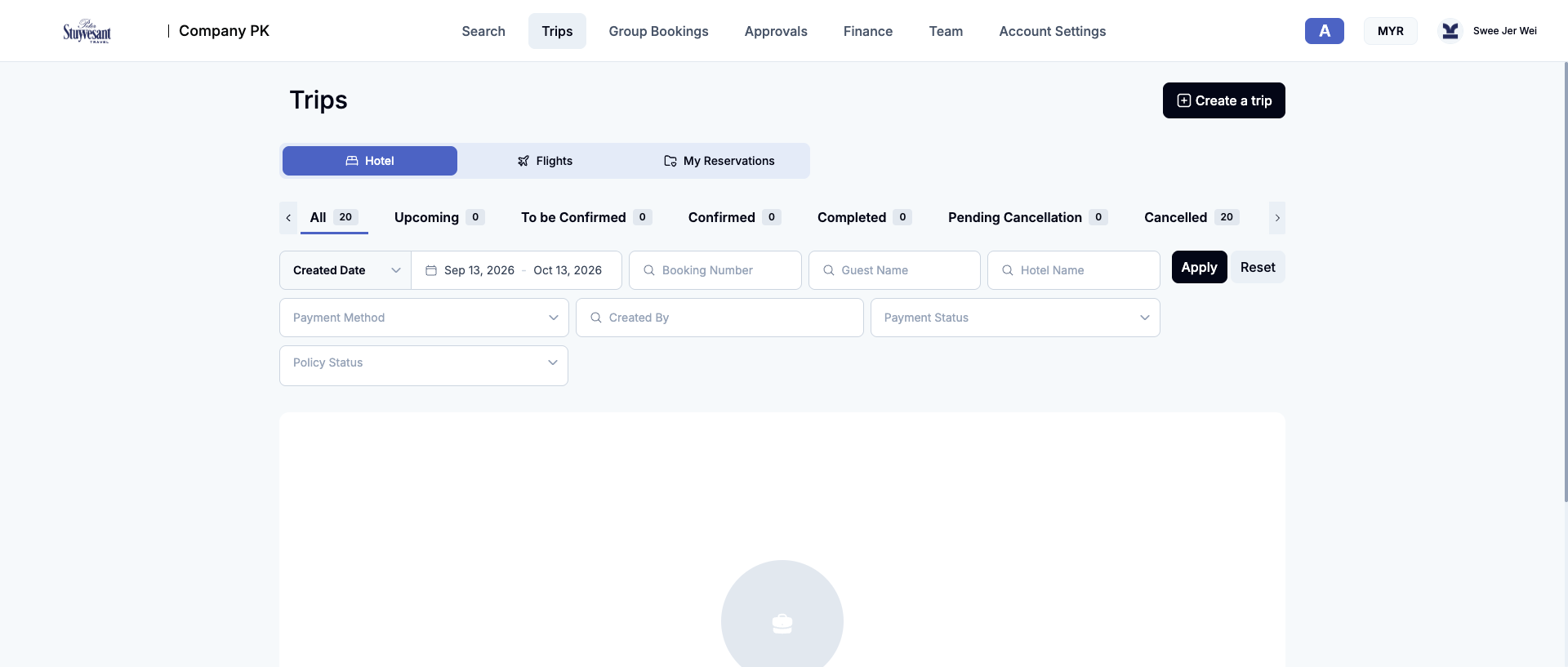
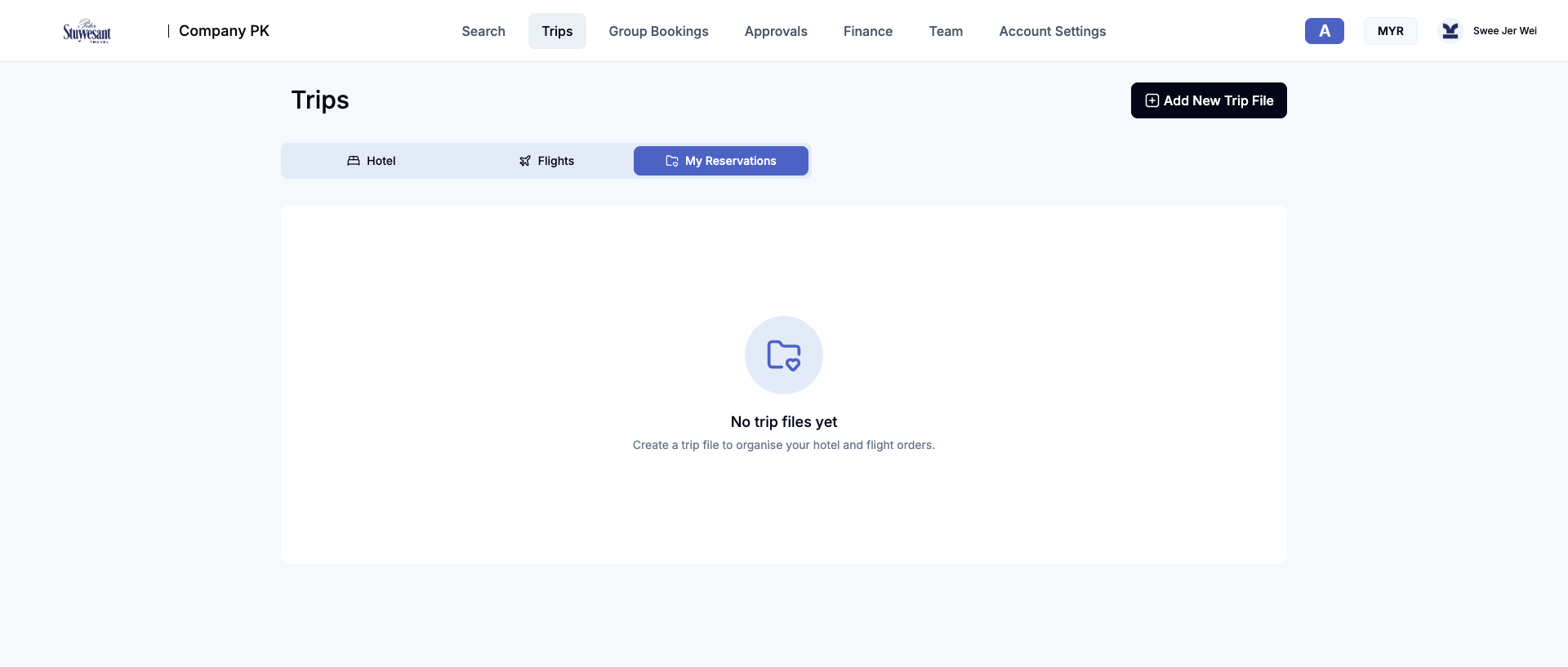
/b2b-api/trip-file/page.Observation
Group Bookings
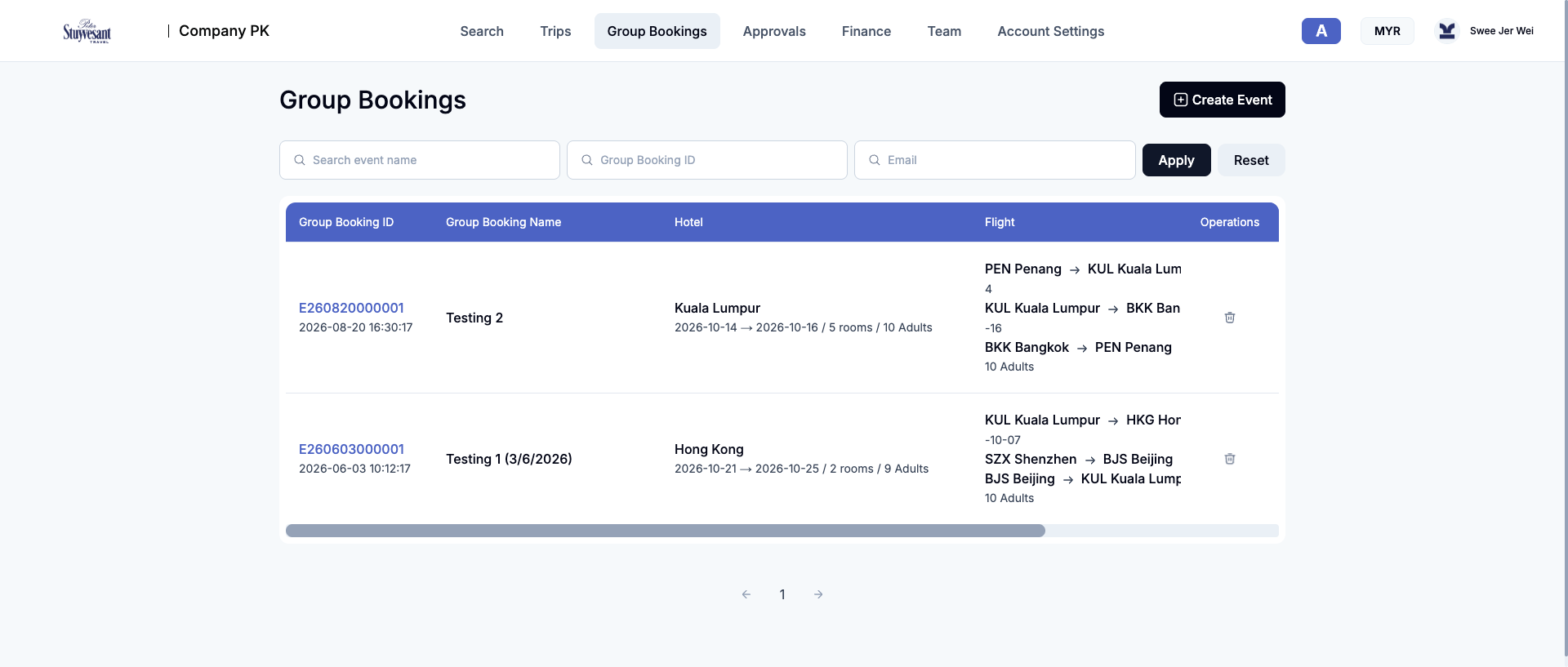
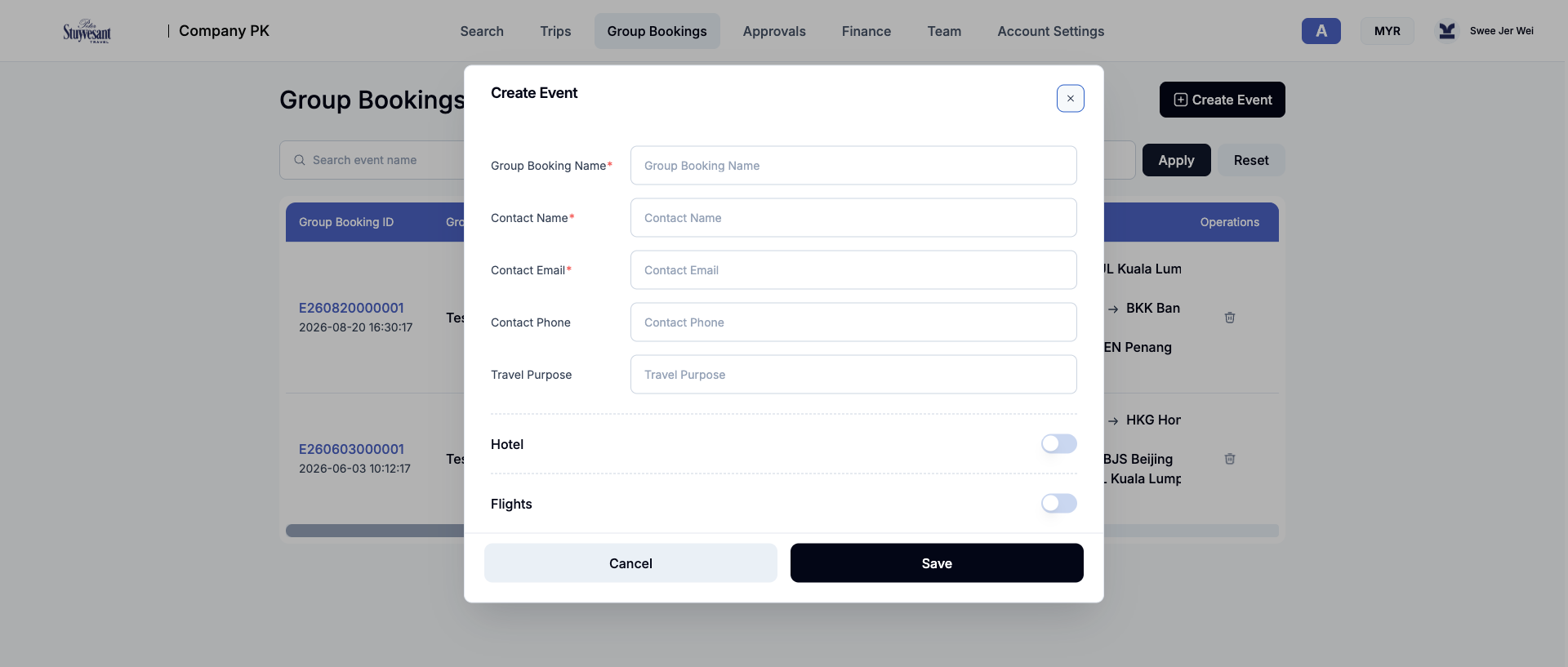
Event-oriented group travel. Events can hold hotel dates and room/adult counts, multiple flight segments, traveller counts, and a contact. List endpoint: /b2b-api/groupBooking/queryEventList. [E6]
Observation
Approvals
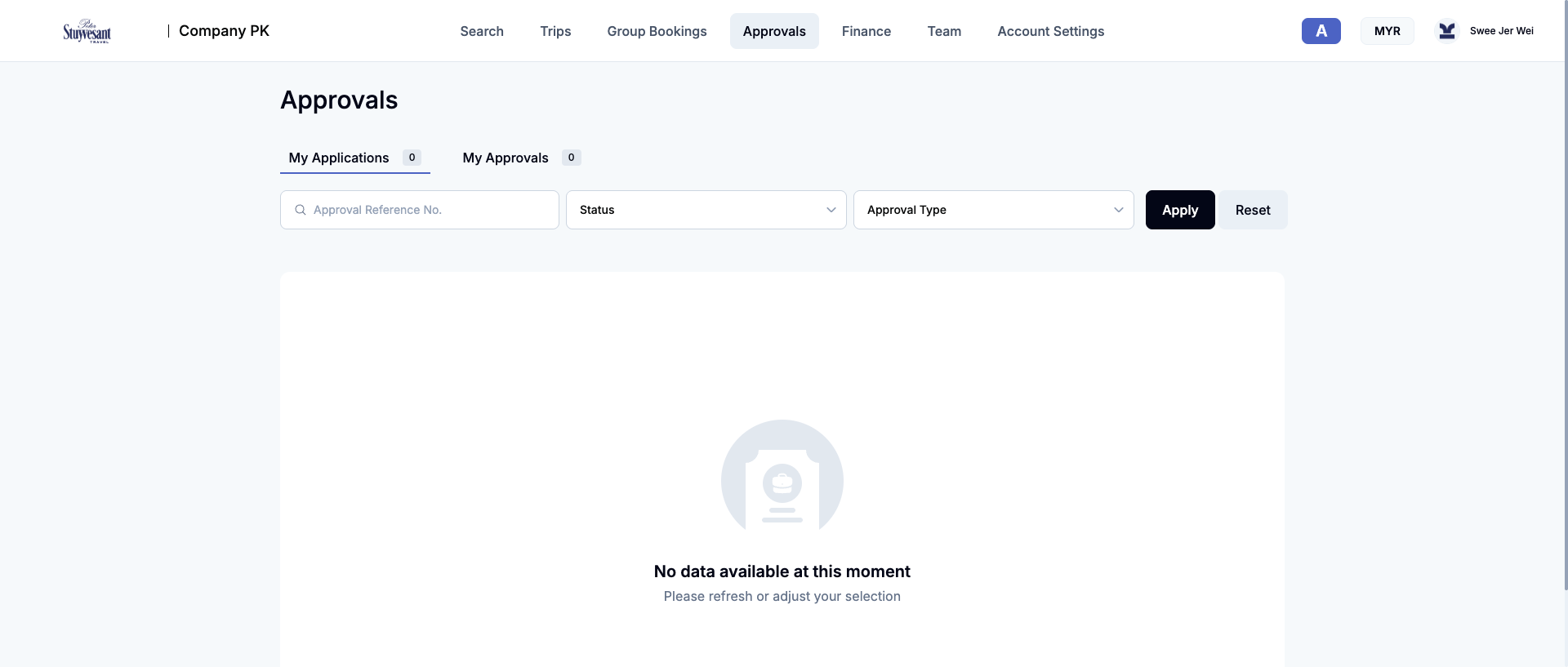
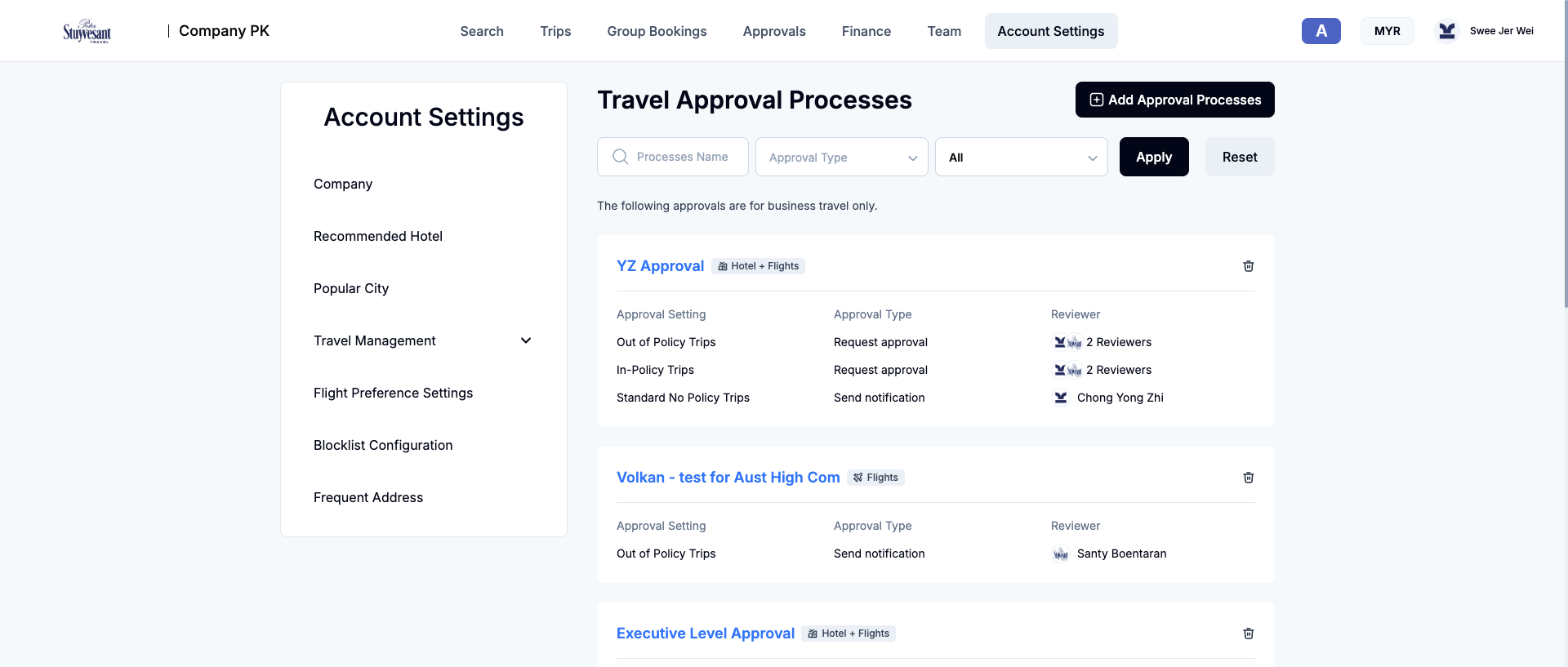
Operational queues are split into My Applications and My Approvals with reference, status, and type filters. The captured account had zero current items. Workflow definitions live under Account Settings. [E3] [E8]
Observation
Finance
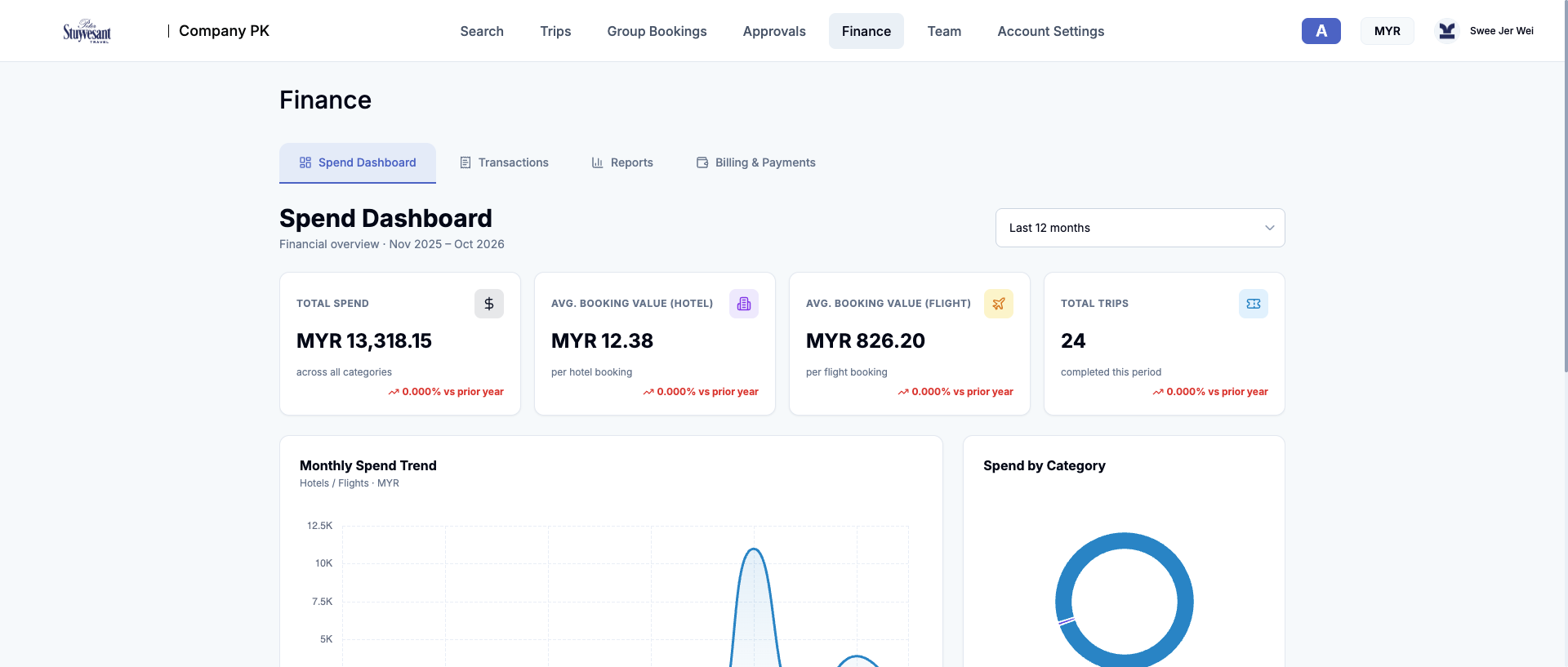
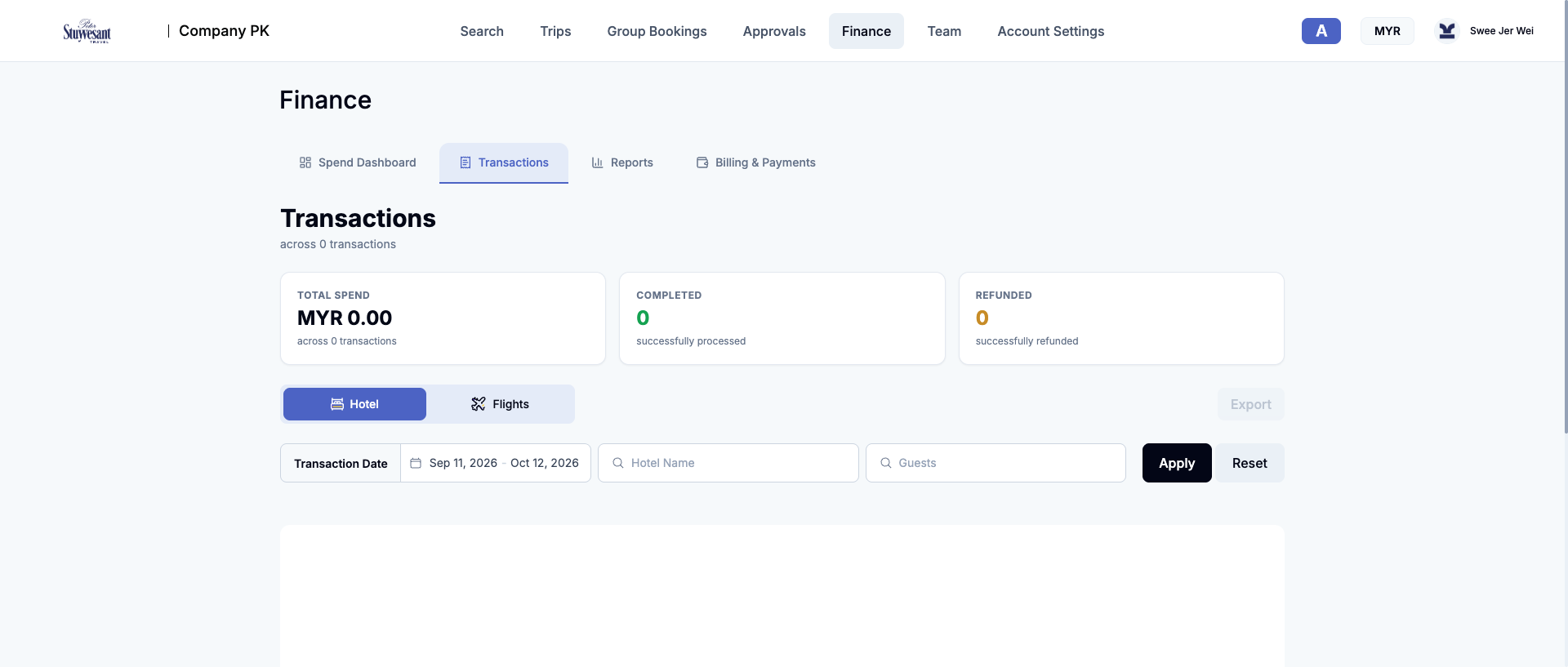
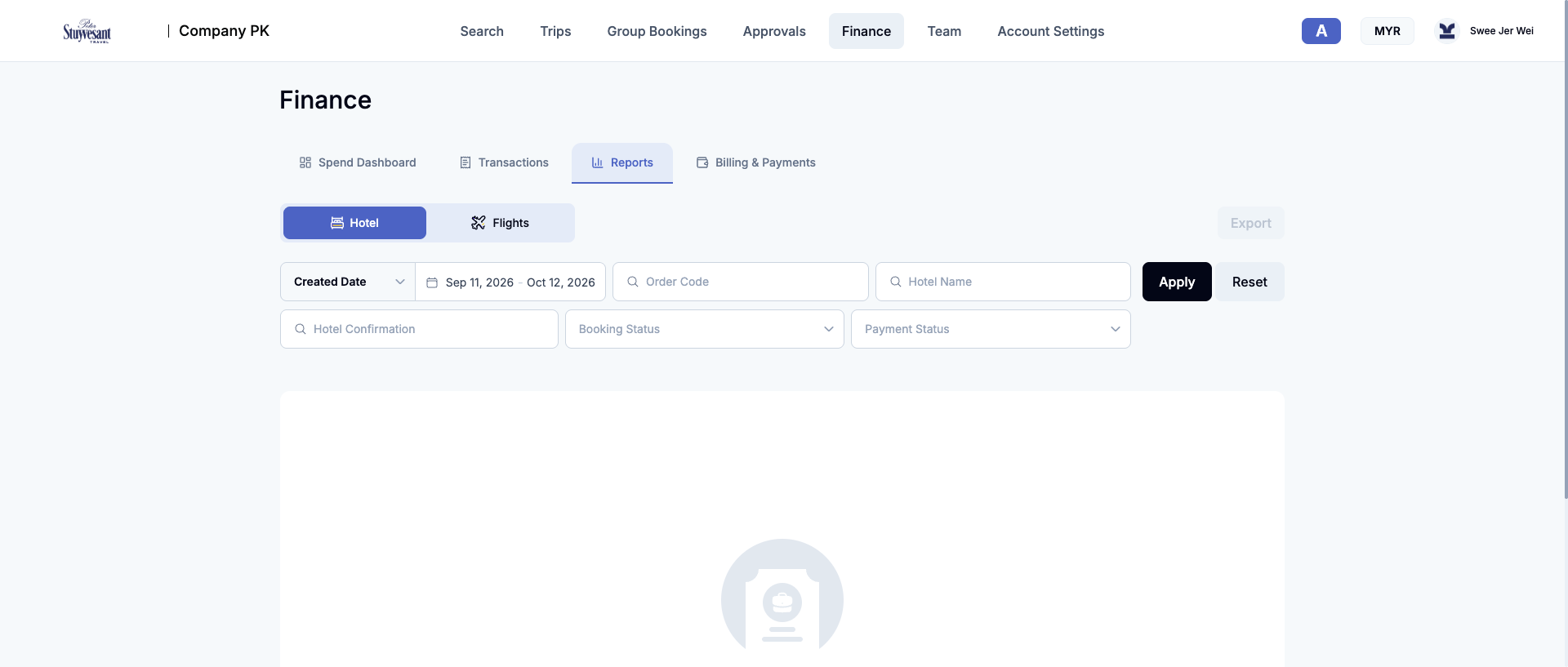
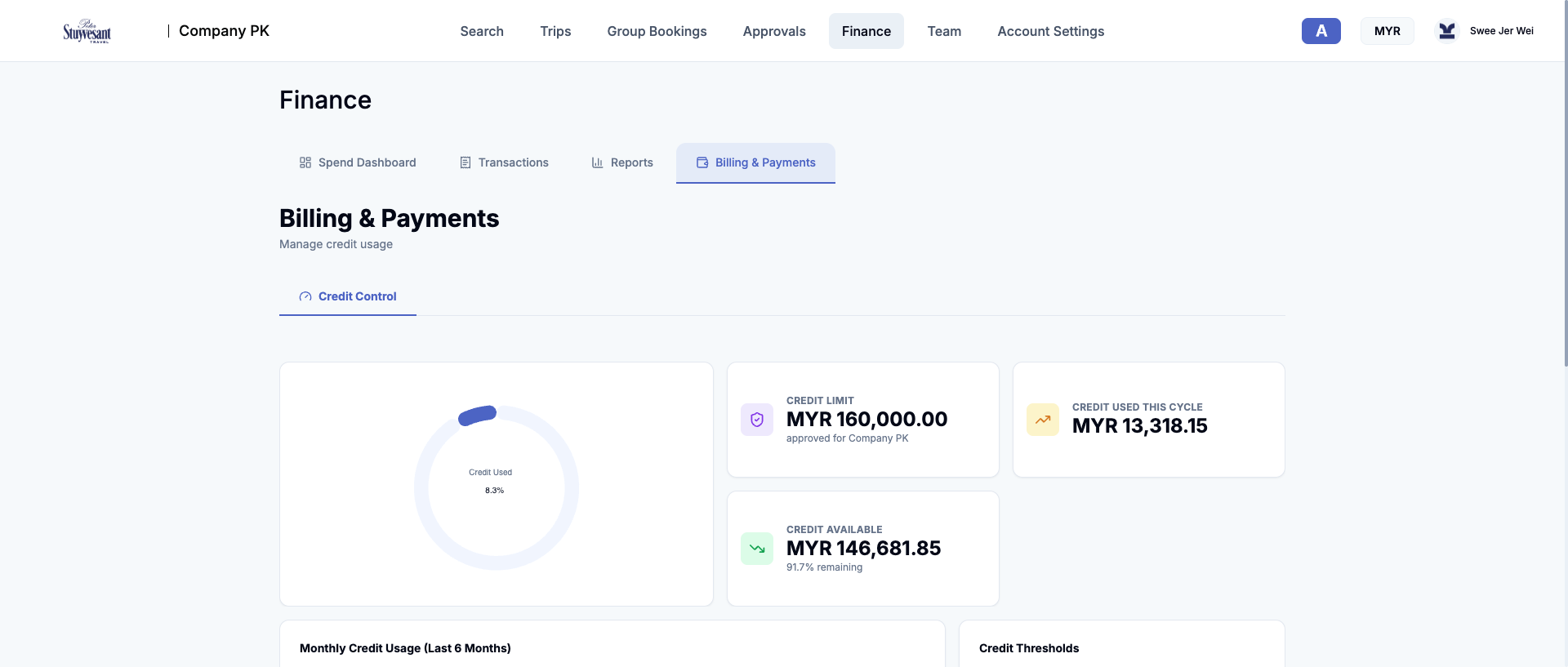
Finance covers aggregate spend, transaction operations, reporting, and company credit. Credit alerts are documented at 80%, 90%, and 100% usage thresholds. [E5]
Observation
Team
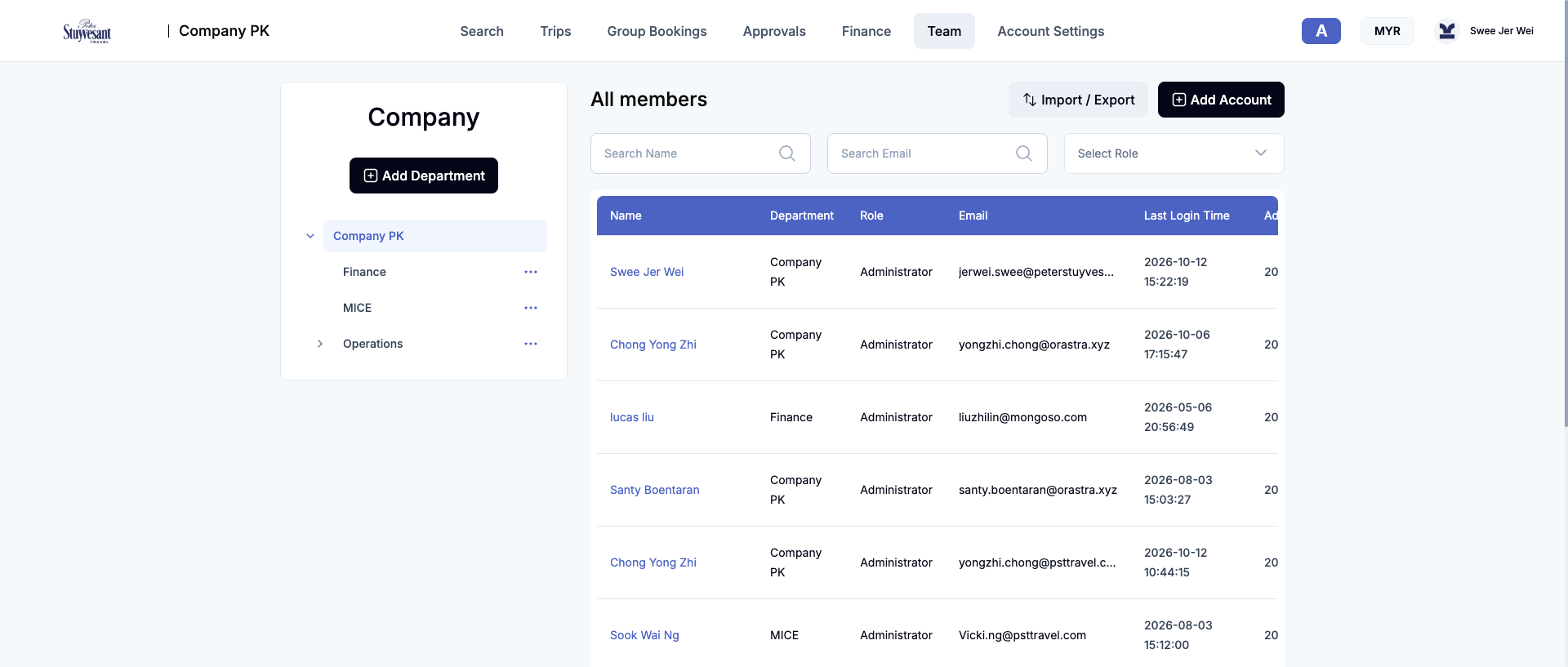
Department hierarchy and user administration: Add Department, Add Account, Import/Export, name/email/role filters, and a member table. The same user directory supplies travellers to flight search. [E3] [E10]
Observation
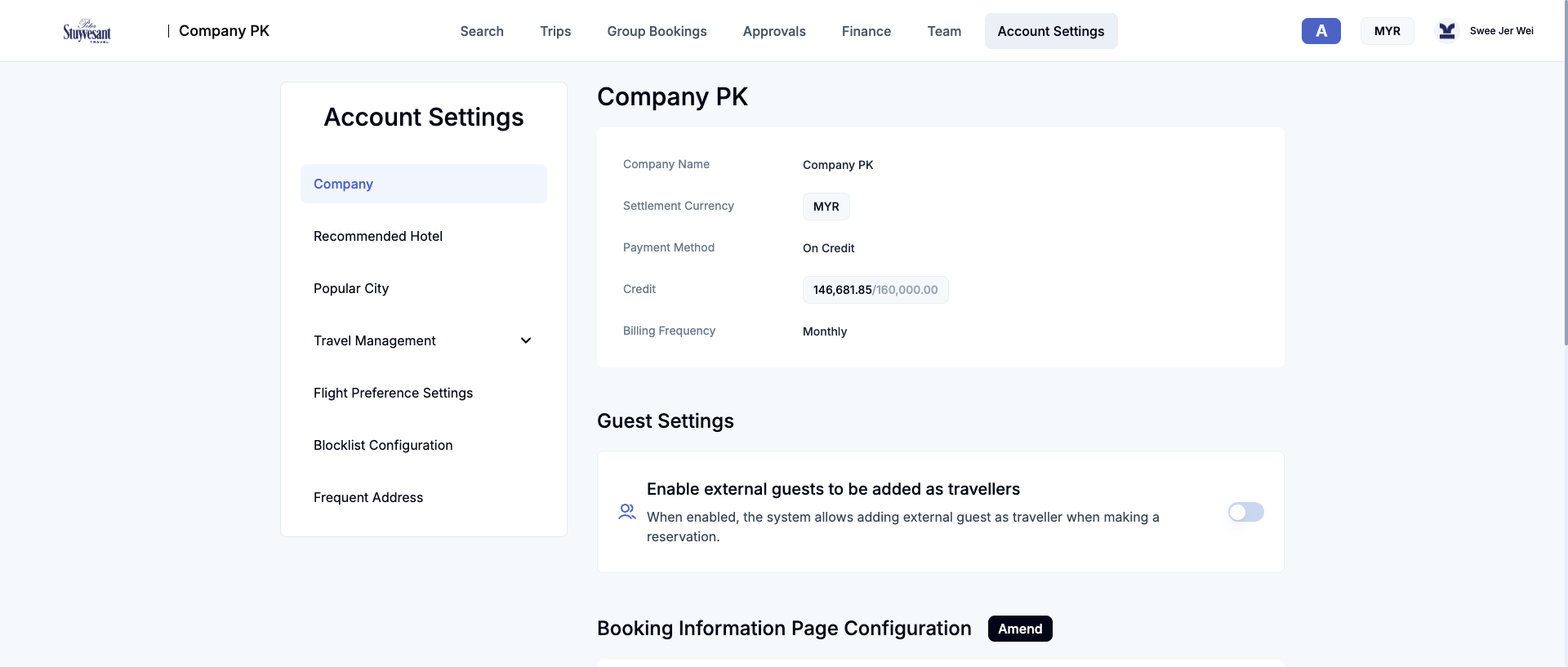
Account Settings
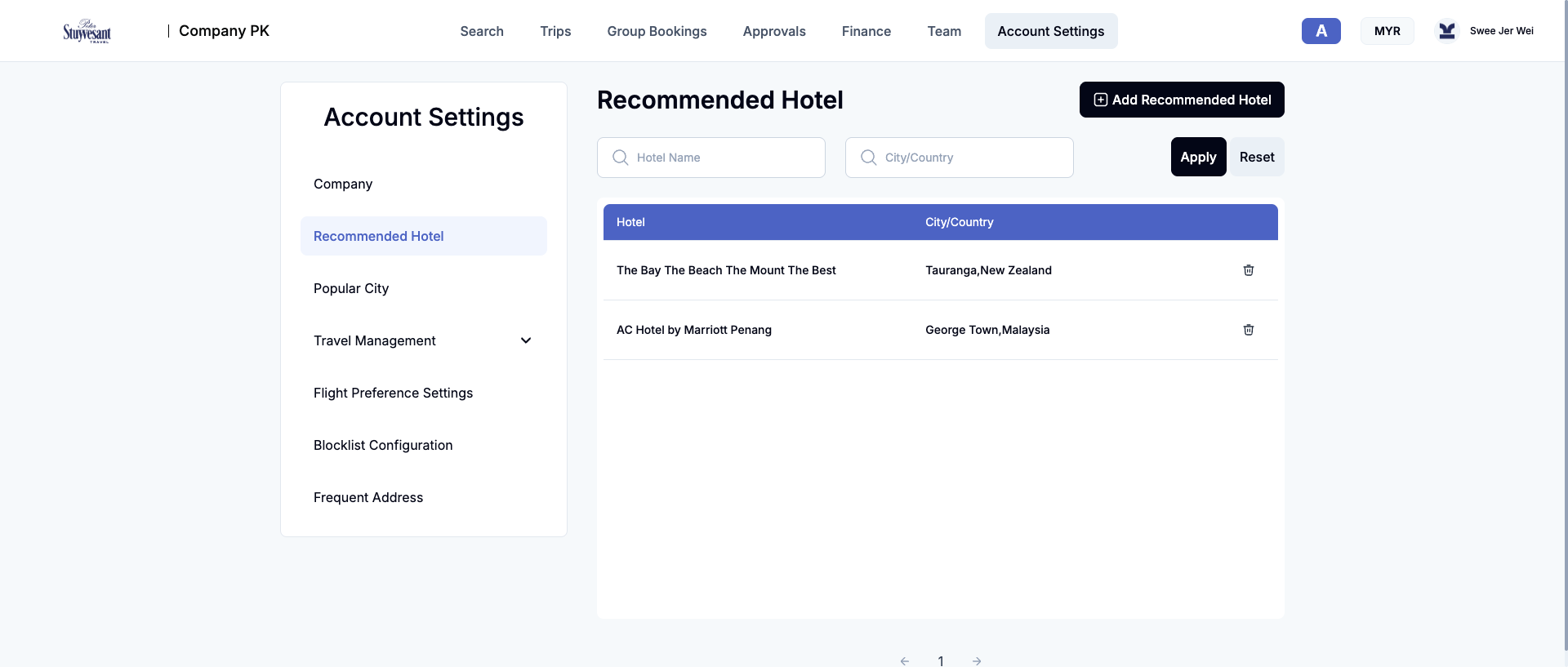
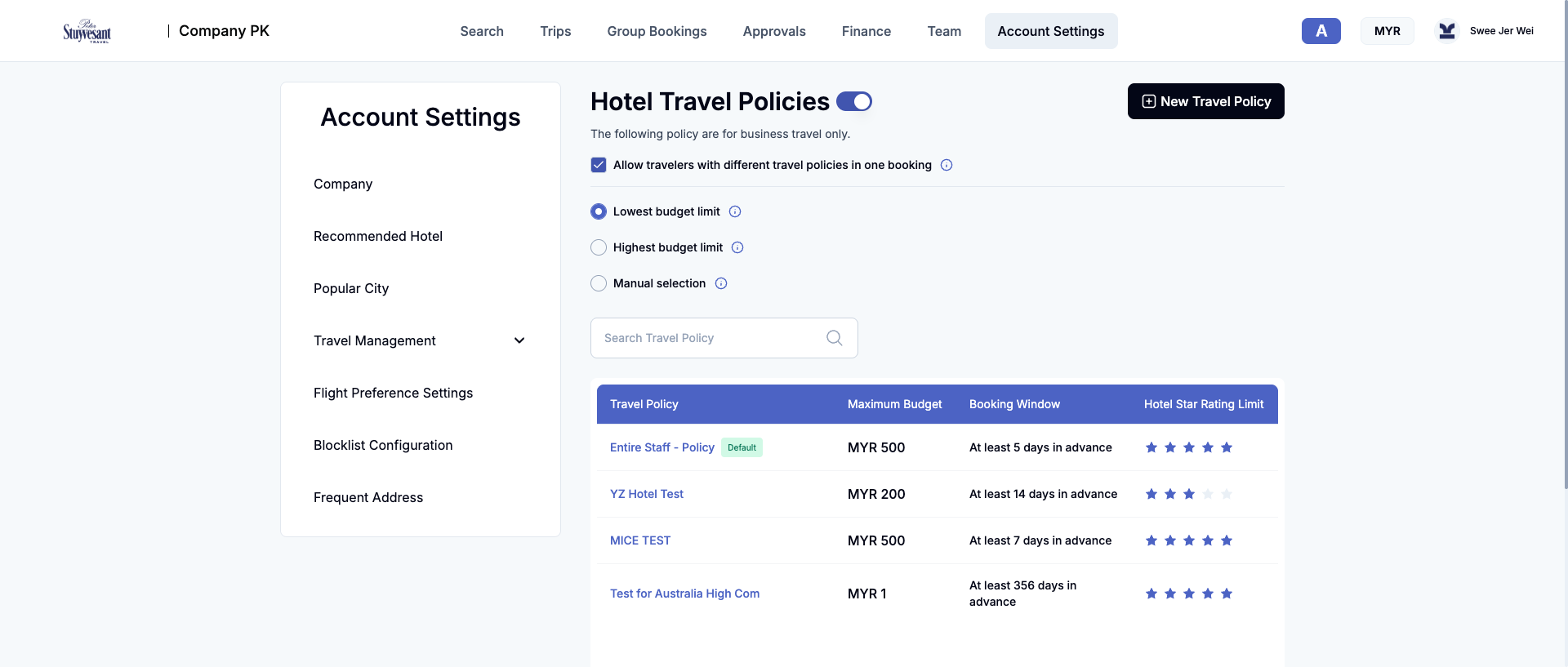
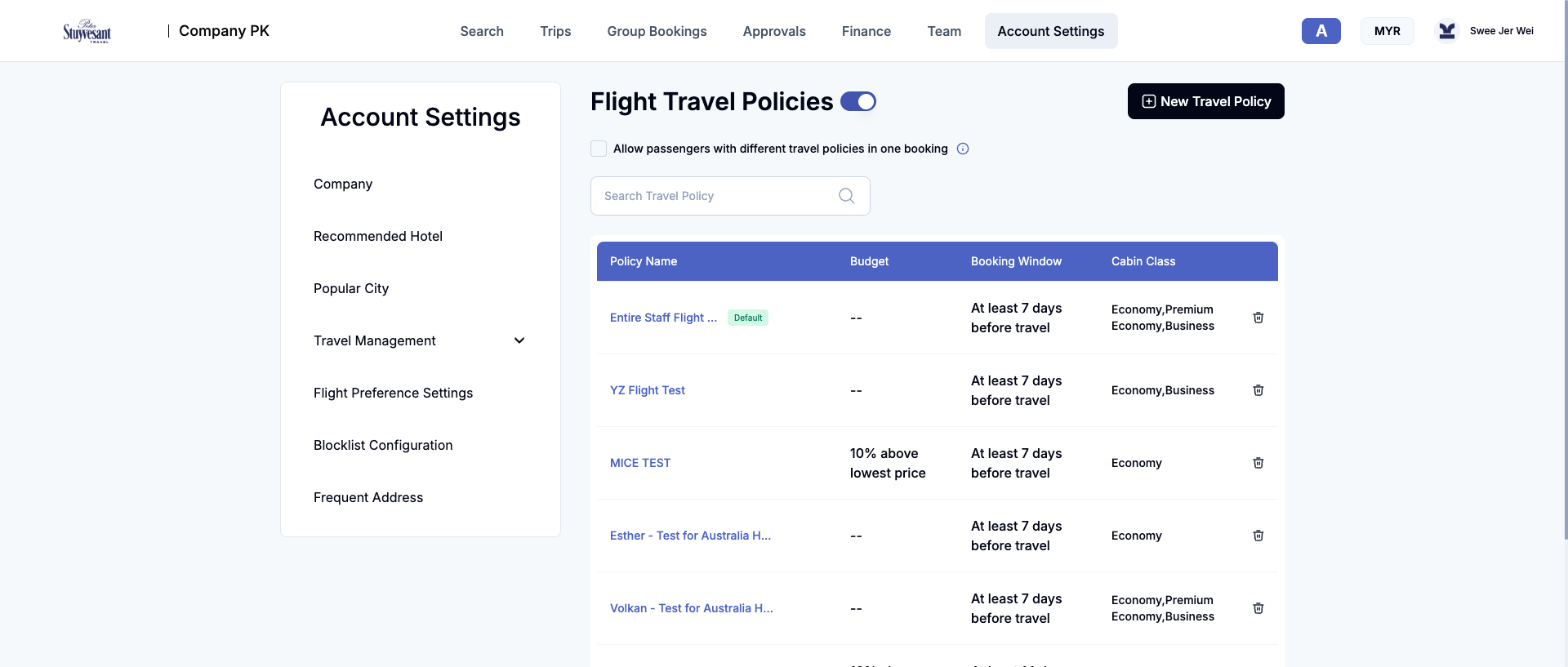
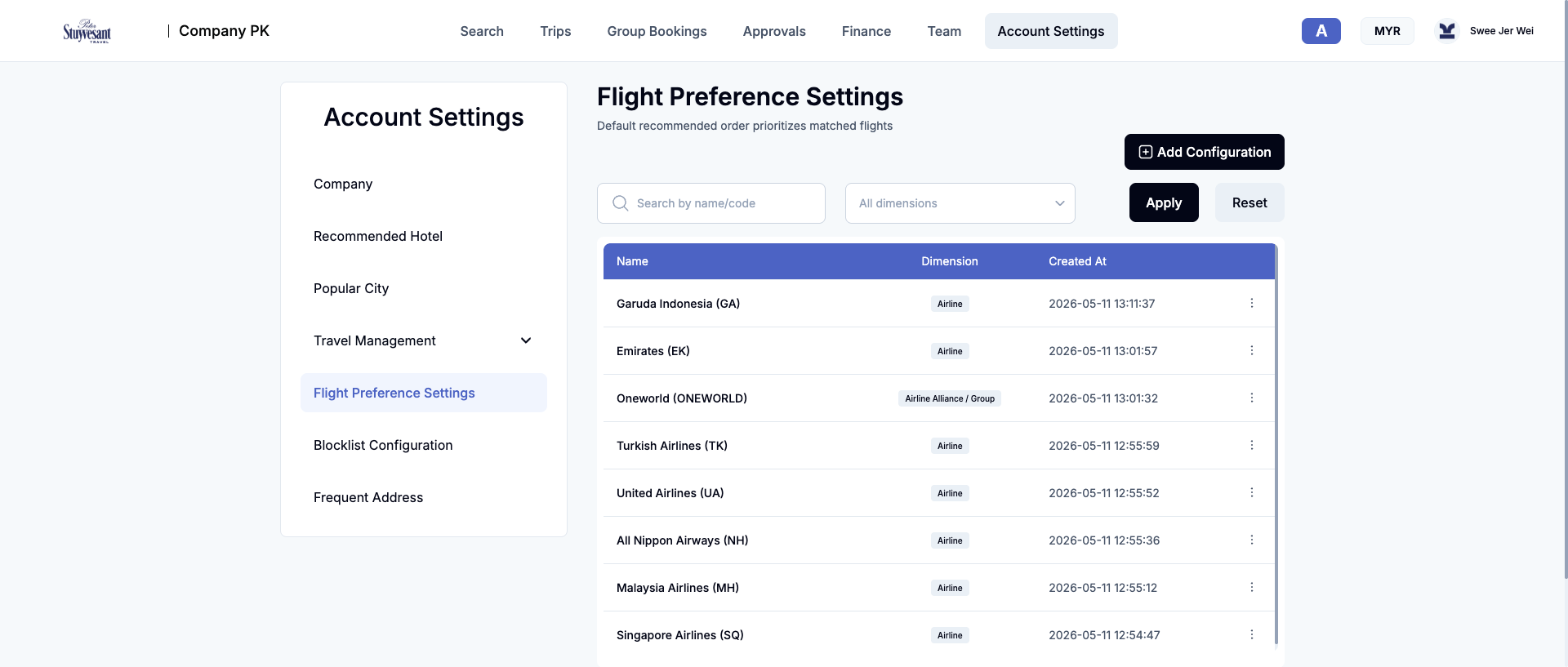
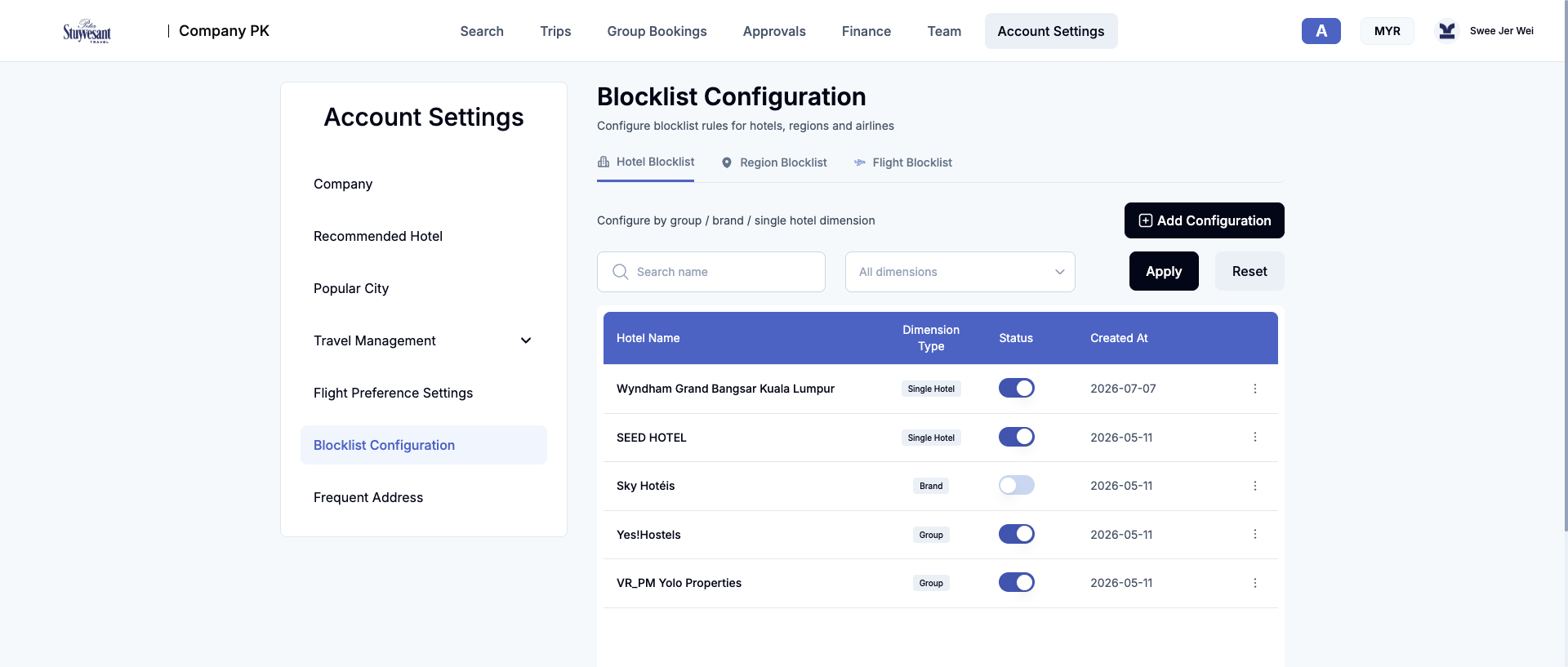
The administrative control plane for company identity, booking defaults, recommendation data, policy, approval, preference, and eligibility rules. [E7] [E8]
Inference
How the modules probably work together
- Inference Team supplies identities; Settings supplies constraints; Search evaluates inventory; Approvals governs exceptions; Trips manages orders; Finance aggregates monetary effects.
- Inference Recommended Hotels, Popular Cities, flight preferences, and blocklists change ranking or eligibility. Matching configuration and search APIs were observed, but payloads were not retained to prove each transformation.
- Inference Team accounts double as traveller profiles because the flight form queries the company user list.
- Inference Policy compliance probably controls direct booking, notifications, or approval applications. No out-of-policy order was submitted.
- Inference Trip files are journey containers linking separately created flight and hotel orders.
- Inference Group Booking is a parallel event-planning path that may convert into ordinary orders; the post-save flow was not observed.
Unknown
Unresolved behavior
- Checkout and order creation: fare/property selection, rates, rooms, ancillaries, repricing, payment, confirmation, vouchers, and tickets.
- Policy evaluation internals: precedence, conflicts, and server enforcement.
- Approval actions: approve, reject, return, delegate, escalation, and notifications.
- Post-booking changes: cancellation, refunds, exchanges, partial changes, and failure recovery.
- Group Booking after Save: traveller collection, quotation, supplier work, approval, and order conversion.
- Imports/exports: formats, validation, and limits.
- Other roles: traveller-only, reviewer-only, finance-only, and super-admin surfaces.
/quotation: discovered statically but absent from this account’s menu. [E2]- Supply and payment providers: GDS/NDC/wholesaler details and actual Airwallex transaction use.
- Security posture: not assessed; this was functional inspection, not penetration testing.
Coverage
Limits and confidence
| Method | REA-controlled Chromium/CDP plus browser screenshots, authenticated navigation, DOM/accessibility inspection, network metadata, and static bundle analysis. |
|---|---|
| Account | One authenticated account in one MYR-settled company. Other roles and companies may differ. |
| Mutation boundary | Navigation and searches only. No account, setting, policy, event, approval, order, or payment was created or changed. |
| Dynamic coverage | Every visible top-level module, every visible settings subsection, all three blocklist dimensions, flight results, and hotel results. |
| Static coverage | 55 dashboard-loaded scripts; 524,622 AST nodes; no parse failures; no source maps. |
| Network coverage | Paths, methods, statuses, and header names. Request/response bodies and header values were not retained. |
| Screenshot limit | Viewport captures at 1920×817. Long tables continue below the viewport. Each image records one observed UI state, not all possible records. |
| Freshness | Availability, prices, result counts, dates, bookings, balances, and settings reflect the capture session only. |
Reference
Evidence register
Evidence IDs refer to the REA MCP records supporting the textual findings. Screenshots are stored locally under Findings/assets/.
| Ref | Evidence ID | Scope |
|---|---|---|
| E0 | ev_840f31515f0c5f25c9313d5ea3845171811f4439dab2d9399833440d031cff25 | Public login and scripts. |
| E1 | ev_a7b84b8fbbbdd0254d7628ef3d22819e24034954271d363c6012603d850fb9c2 | Authentication and dashboard bootstrap; sensitive. |
| E2 | ev_b6038d39f769d3e253a461d2451c75d7819442836b6b89ae4c6abf7f1f3e40f7 | Static bundle analysis. |
| E3 | ev_944c4a3bcd9f0507dc79f253bdee4b935410ec308941a9500010b343e004b38f | Top-level module walkthrough. |
| E4 | ev_9b153317d6d4dfd6141bcbdec47ae8c4eae44ac9bc21079ee7846abb8519fa88 | Trips, orders, and trip files. |
| E5 | ev_ac4cc876296e079888c0c209fdbd6d78d807ca4e7e449845efa6a956f95d9f97 | Finance subsections. |
| E6 | ev_5d7e6181e58584970b995c2cb31b1e9b092203873dcbf1947f7a52c69d451490 | Group Booking workflow. |
| E7 | ev_07634fb3cb8faabf89043a3f4a36217e15bbc0f037d527fcb2a9b71e2a973ad6 | Account Settings subsections. |
| E8 | ev_c24275298964a2439dbf79dc231ed1df2225cbb5a23fa1f97b7bc1d04c53a312 | Hotel/flight policies and approvals. |
| E9 | ev_98fab563aceae7815826c600a9e578e4c0635de0f332b67019d644d6ccd7dc55 | Hotel search and results. |
| E10 | ev_9b5200aadc90c966c24c211cd4dbfa9139fe07b379abf26d91f642526b0705b5 | Flight search and results. |